App review01
NotchAbove
A Mac notch app that handles audio, AI coding tools, Git, a file shelf and clipboard history, plus a pet to look after.
- Date
- Nov 7, 2026Updated Nov 10, 2026
- Maker
- @capt_sherman
- Type
- Mac app
- Tried on
- MacBook M4 Pro, macOS Golden Gate 27.2
- Version
- 1.3.7
- Platforms
- Mac
- Price
- $9.99 one-time
- Links
- App ↗
- Overall
- Delightful
Scores
- First impression
- Polished
- Onboarding
- Polished
- Usefulness
- Polished
- Ease of use
- Polished
- Pricing / value
- Polished
TL;DR
I never really used the MacBook notch. I didn’t even know it could do more than show the time, so it just held my clock to give my menu bar icons more room.
NotchAbove fills it with the things I reach for all day: audio switching, my AI coding tools, Git, gentle reminders, a
shelf for files and a (cute) black cat named Bombay. It has a lot of features, more than I’ll ever use 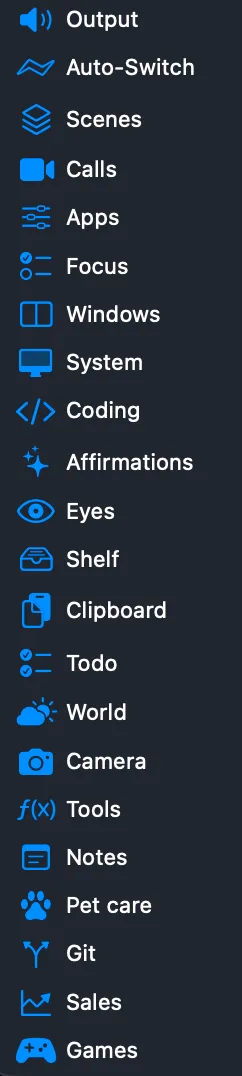 , but feels light and
native, it’s one of the few apps that genuinely brings me joy, and it slotted right into my day. It also freed up my
menu bar straight away: I deleted Raycast and Vorssaint.
I’ve used it for over two weeks and can see it sticking around long term, so I’ll add an update in a month or so. I got it on a founder’s sale, I don’t know the maker, and nobody asked me to write this.
Update
Nov 10, 2026 · version 1.3.7
All four of my small ideas shipped in 1.3.7: AI usage for more than one account, notes that save as Markdown files with syntax-highlighted code blocks, a dedicated water tab, and app management with Apps, Caches and Updates tabs, which is what I was missing after deleting Vorssaint.
At first look, I’m very happy with these changes, and I appreciate the creator adding them based on my suggestions.
First look
The download instructions were easy, but I had to strip the quarantine flag before it would open on my MacBook. That’s happened with almost every indie or non-App Store app I’ve tried, so it’s not a knock on NotchAbove.
I first downloaded NotchAbove for the calendar view, volume control, webcam preview and a notch I could style. I was
hooked halfway through the landing page and never read the rest, so I missed a dozen other useful features. There are
plenty I’ll never touch, and that many would usually overwhelm me, but each one is opt-in 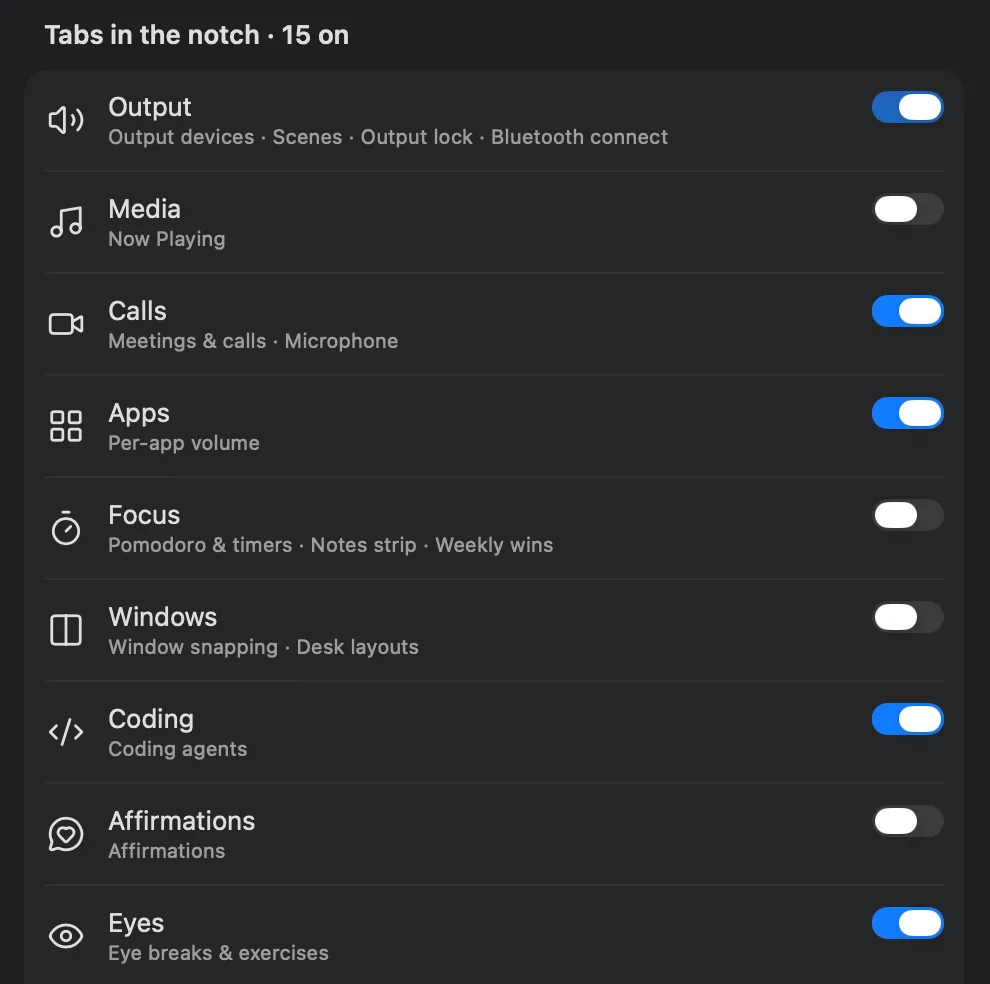 , so I keep just what I use.
Finding Bombay, a cat companion, was also such a pleasant surprise. Instead of opening my phone for TikTok videos between meetings, I can spend that time looking after her, and she peeks out of the notch (when I let her) without being distracting.
What I liked
-
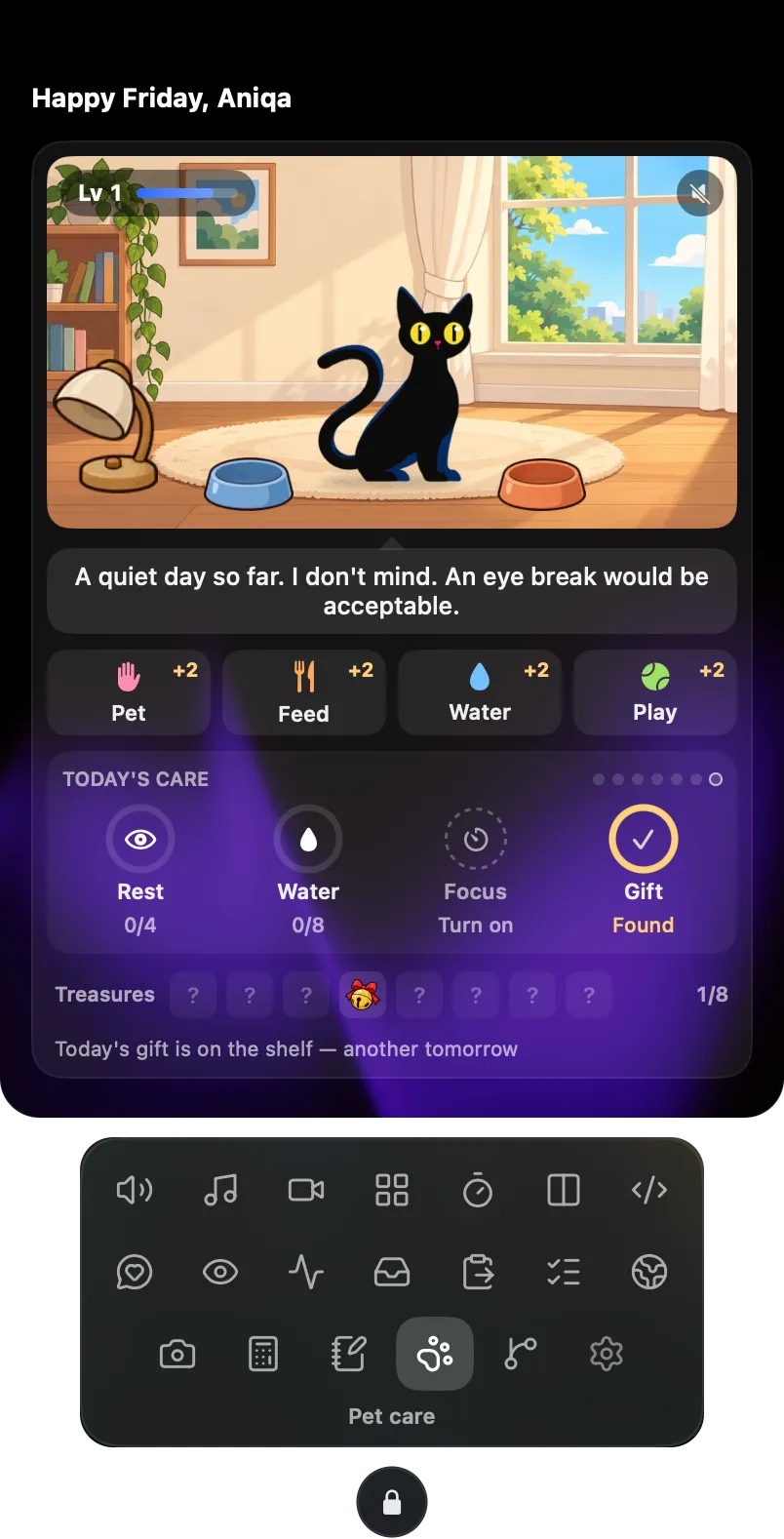
The pet. I’m a sucker for a good mascot or companion (you might have noticed the one on this site). I like my tools minimal, but a well-done Easter egg brings real joy, and the pet care is my favorite part
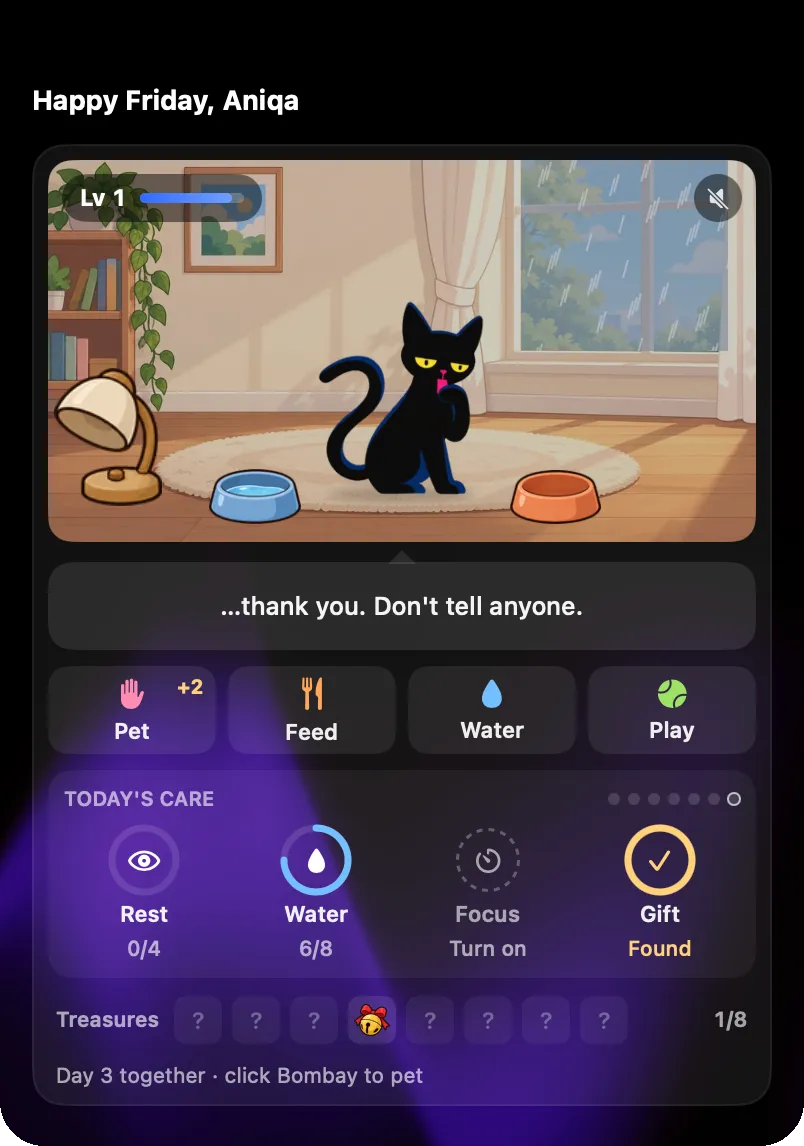 .
Collecting gifts for Bombay gives me a reason to come back and not lose time mindlessly doomscrolling.
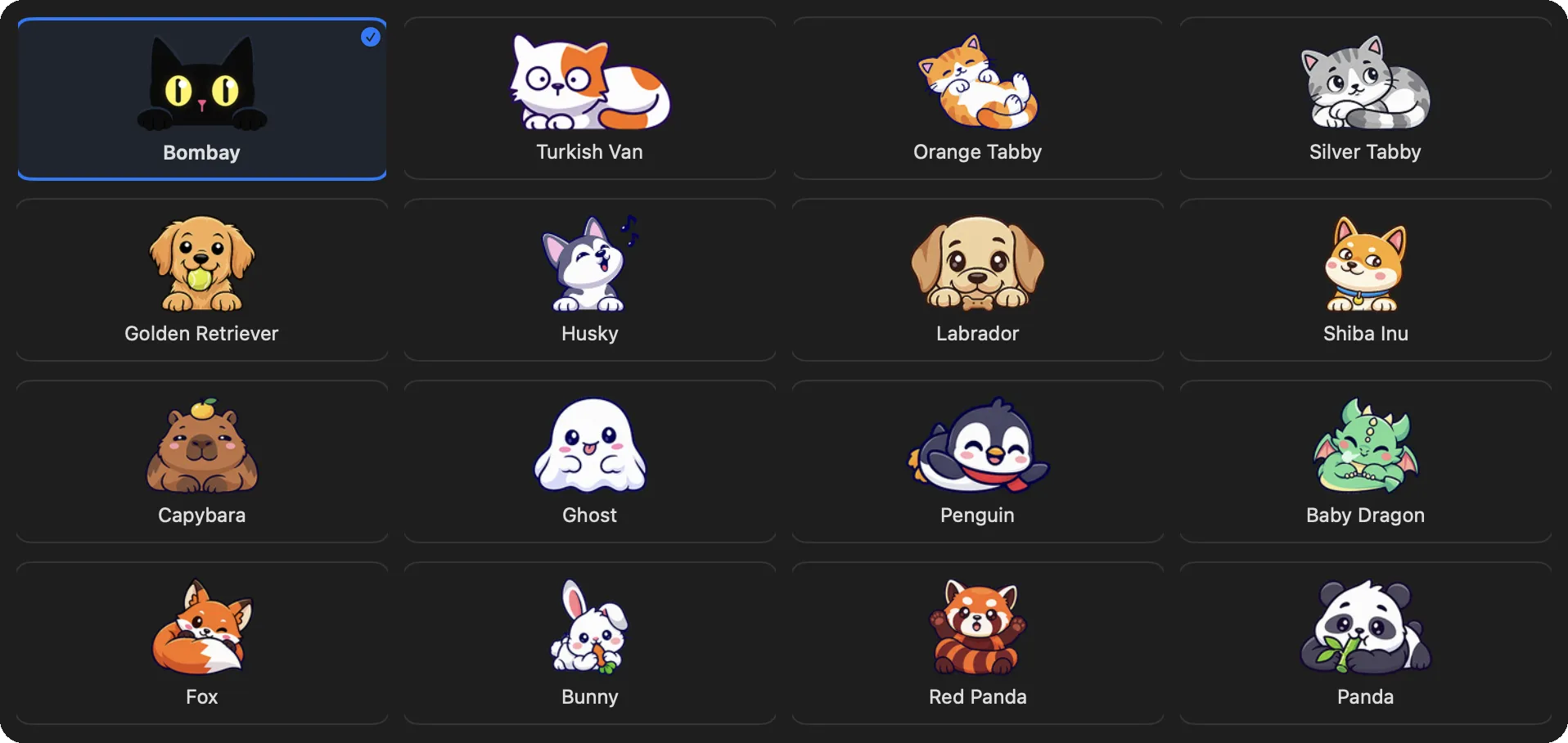 All sixteen companions, from Bombay to a baby dragon
-
Volume control. Switching between Zoom and Spotify keeps changing my audio, Loom videos on bug reports change it again, and moving between my laptop and desktop makes it worse. Here I can set each device’s volume before I switch
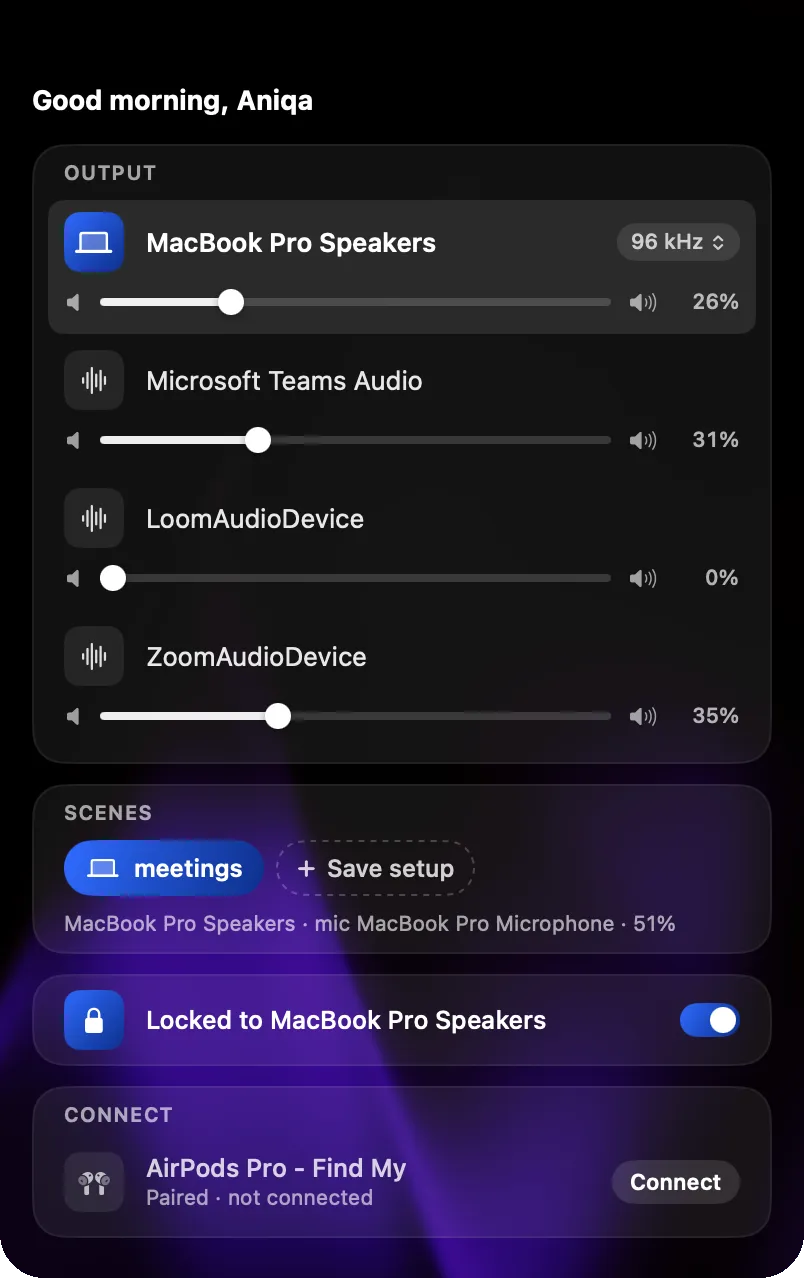 and get back to it with a hover and a click. It’s clearer than the Mac’s own volume handling, and
I don’t have to fight it.
-
Reminders that don’t feel wrong. Other apps have reminders too, but I hate getting water and stand-up reminders in the usual notification spot; they shouldn’t take the same space as a message or calendar event. NotchAbove nudges me gently from the notch, and I actually take them in (even if I finish what I’m doing first).
- Water sits with the Pomodoro timer, countdown and stopwatch
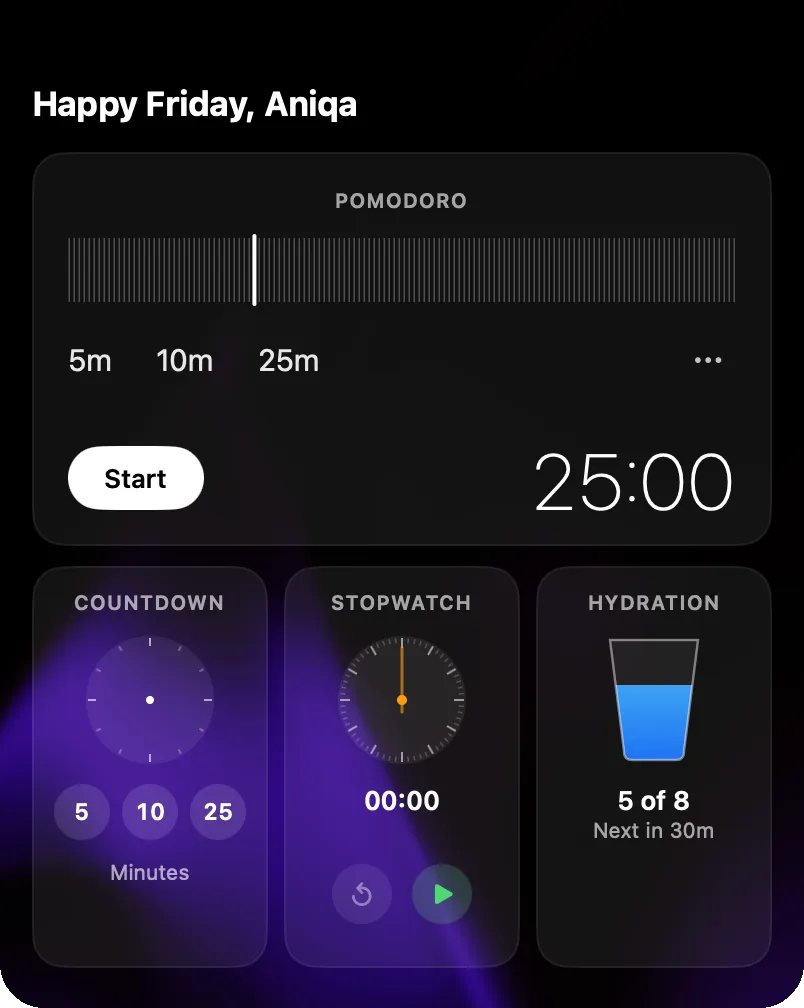 ,
which is actually my main gripe: I don’t use Pomodoro, so I only use part of that view.Fixed in 1.3.7 ✓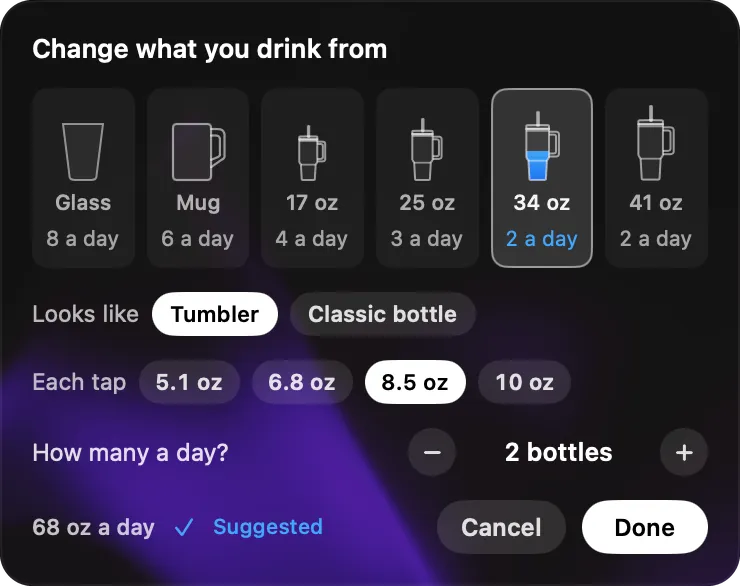 That being said, the water reminder has made a real difference: I often don’t reach for
water until I’m already dehydrated, and now I actually sip through the day. I’ll be convincing my husband to give
it a try.
- On days my chronic dry eyes are more strained, the eye breaks help
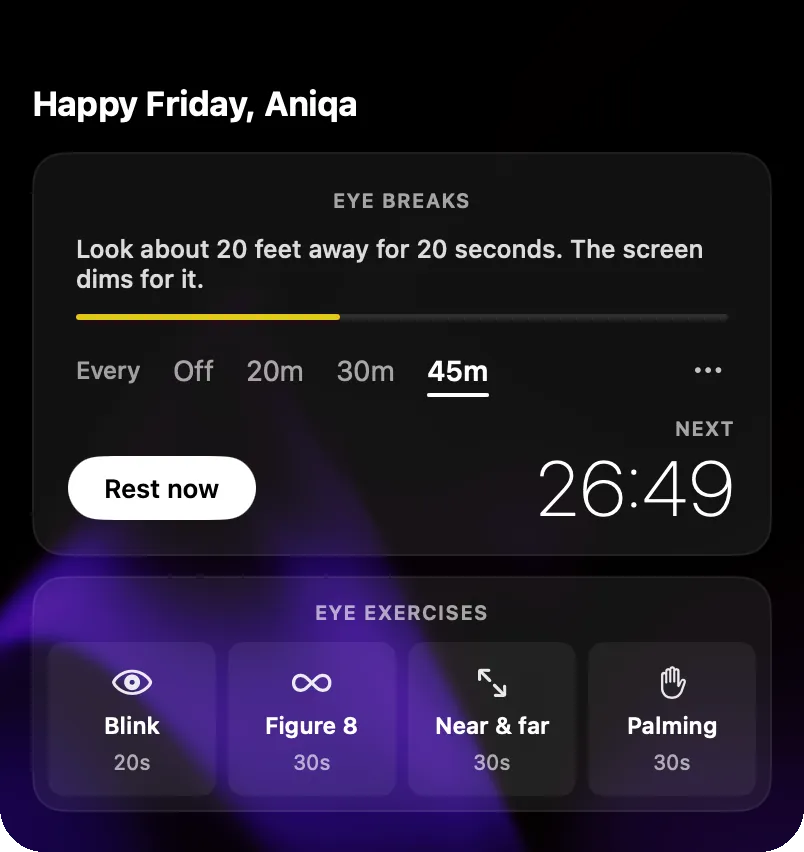 . After long stretches of coding or debugging, the
reminder gets me blinking again, and it comes with short exercises
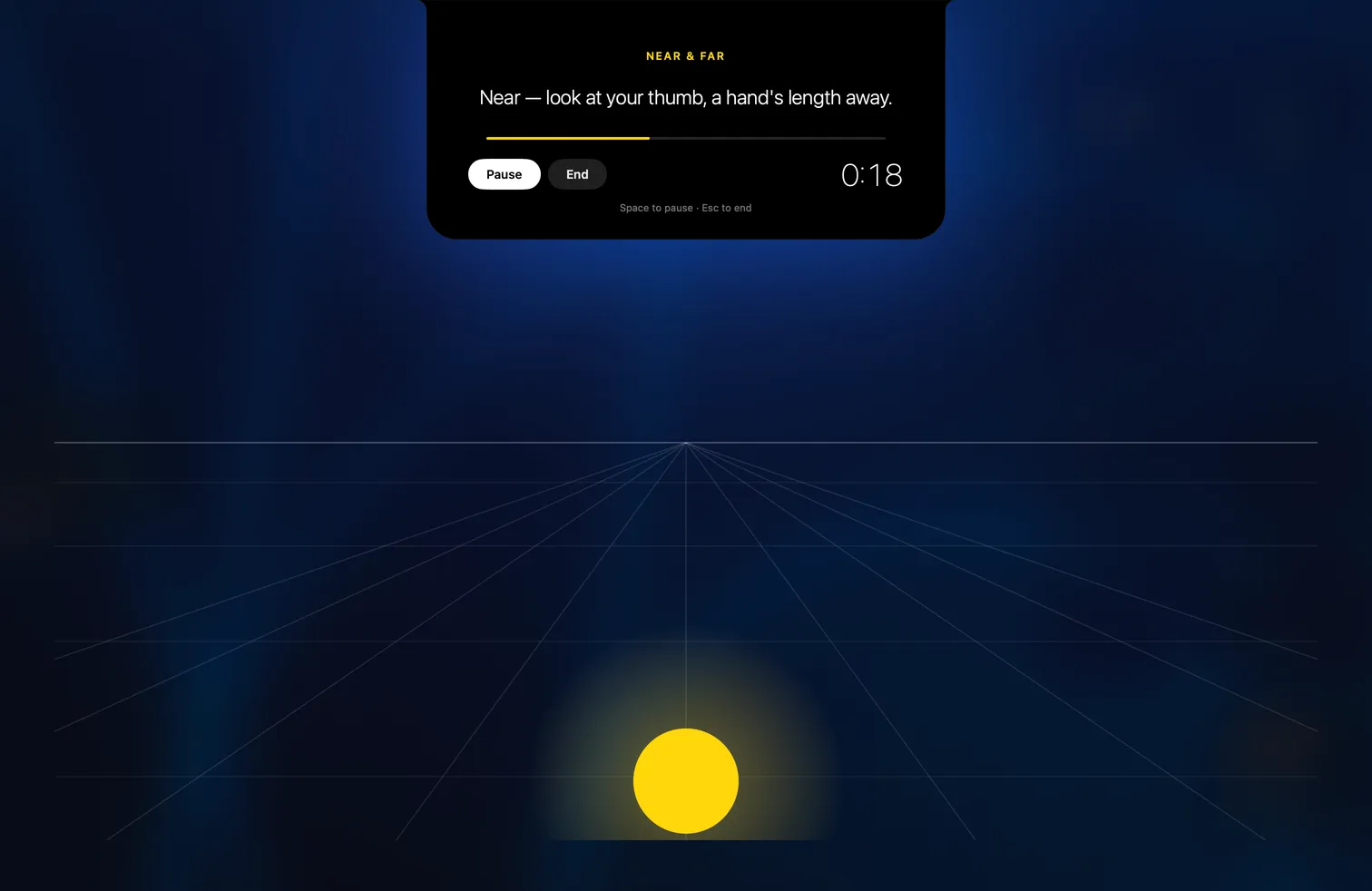 .
- I can also see where my time goes
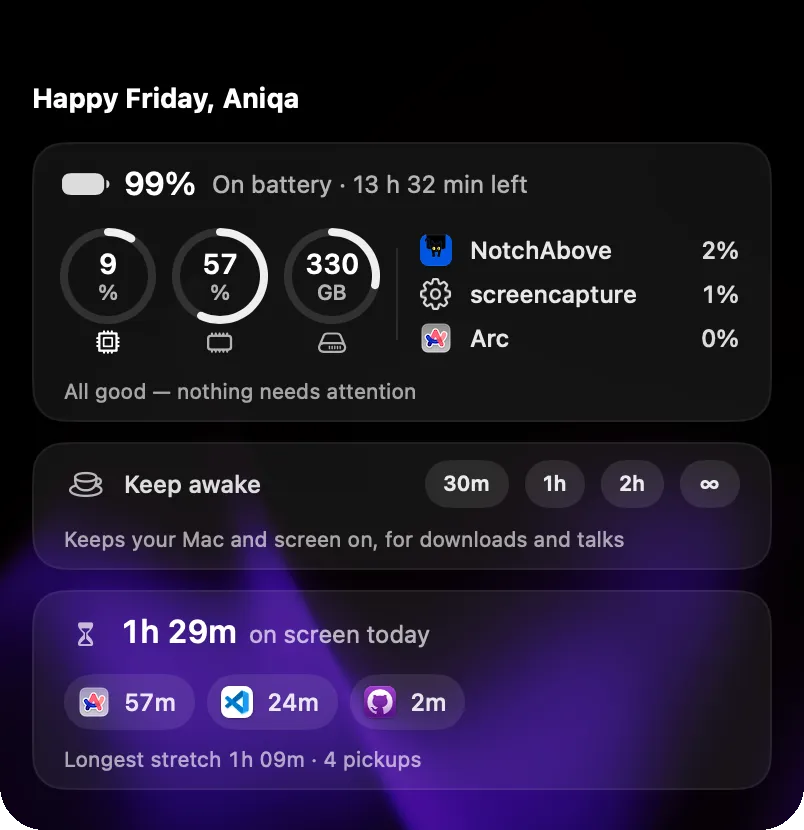 : how long I’ve been on screen today, and in which apps.
- Water sits with the Pomodoro timer, countdown and stopwatch
-
Git at a glance. Lately I’m cleaning up old projects for my portfolio, and seeing my Git status
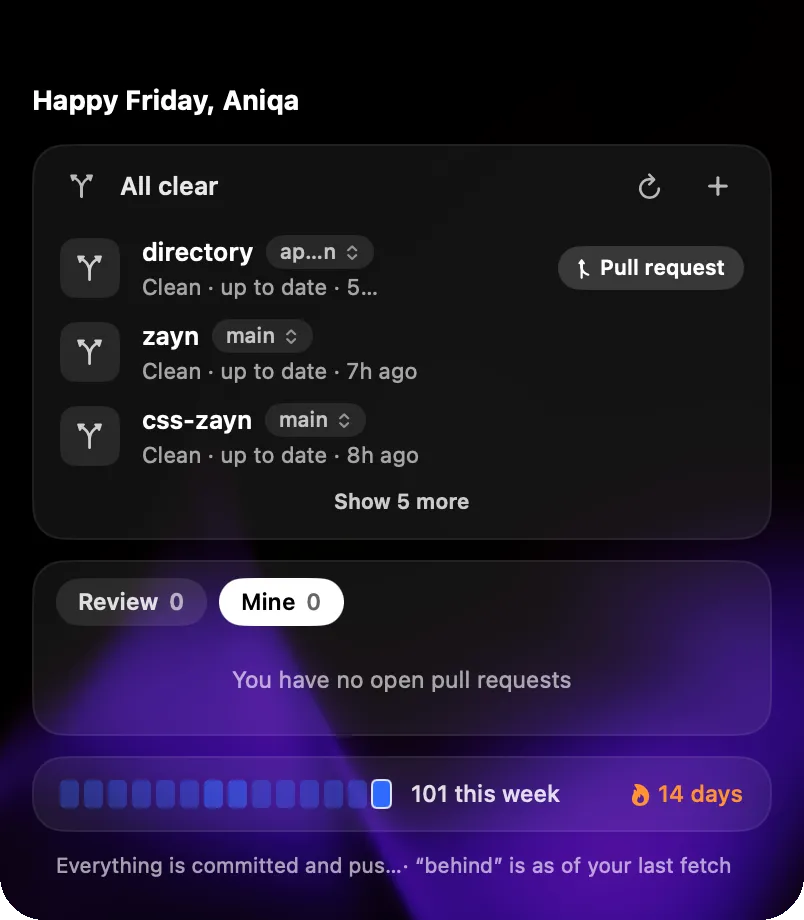 means I don’t forget to commit or clean a branch up.
-
AI agent usage. Tracking Claude Code, Codex and Cursor in one place
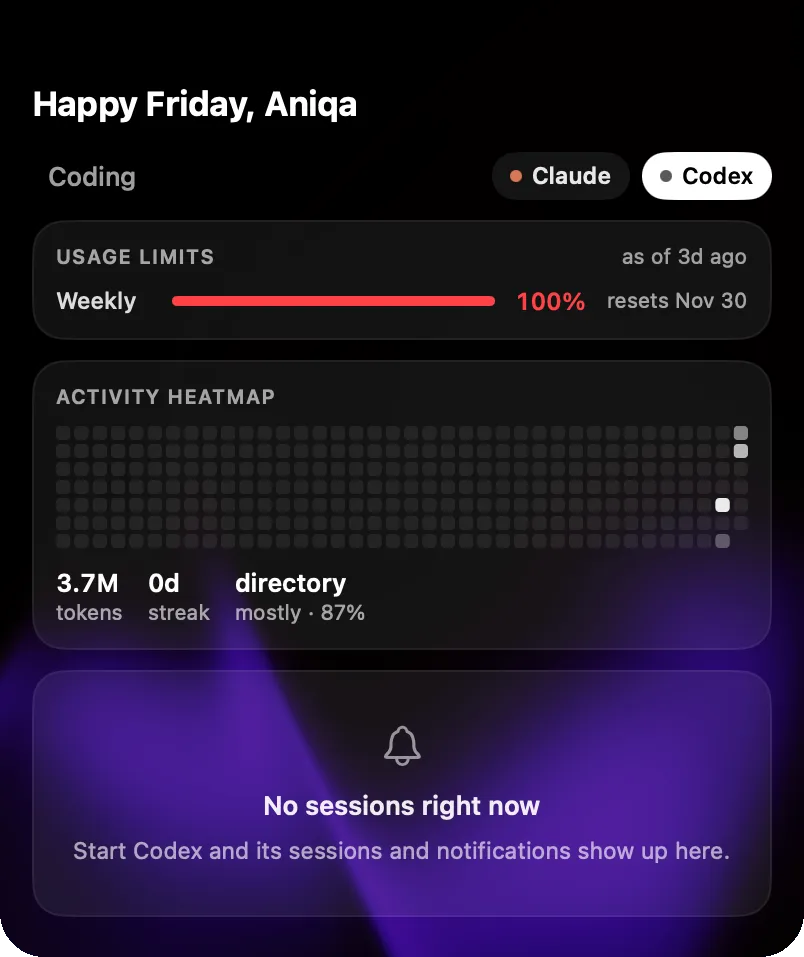 is major. A quick look at
my limits keeps me on track.
-
The shelf. I handle files for different clients at work, and my Downloads folder gets ugly fast. Now what I need for the week sits on the shelf
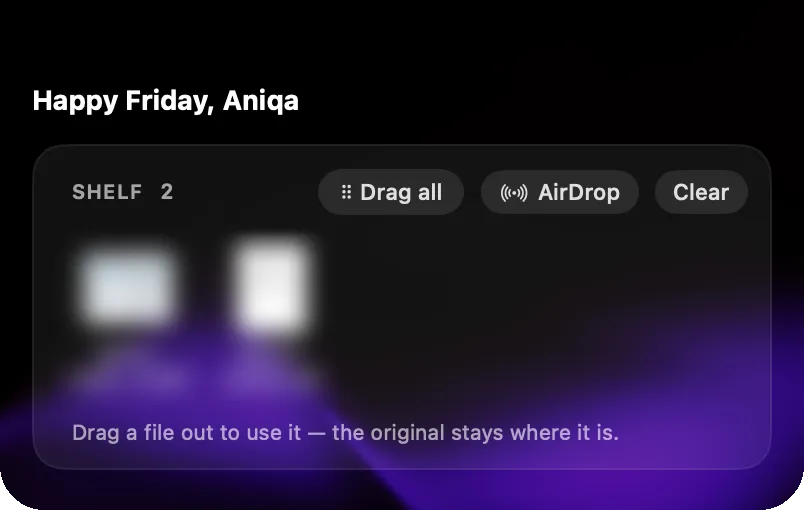 instead.
-
Calendar view. Work has my day time-blocked to the minute, and I’m keeping up with my husband’s changing schedule too, so having it all in the notch helps
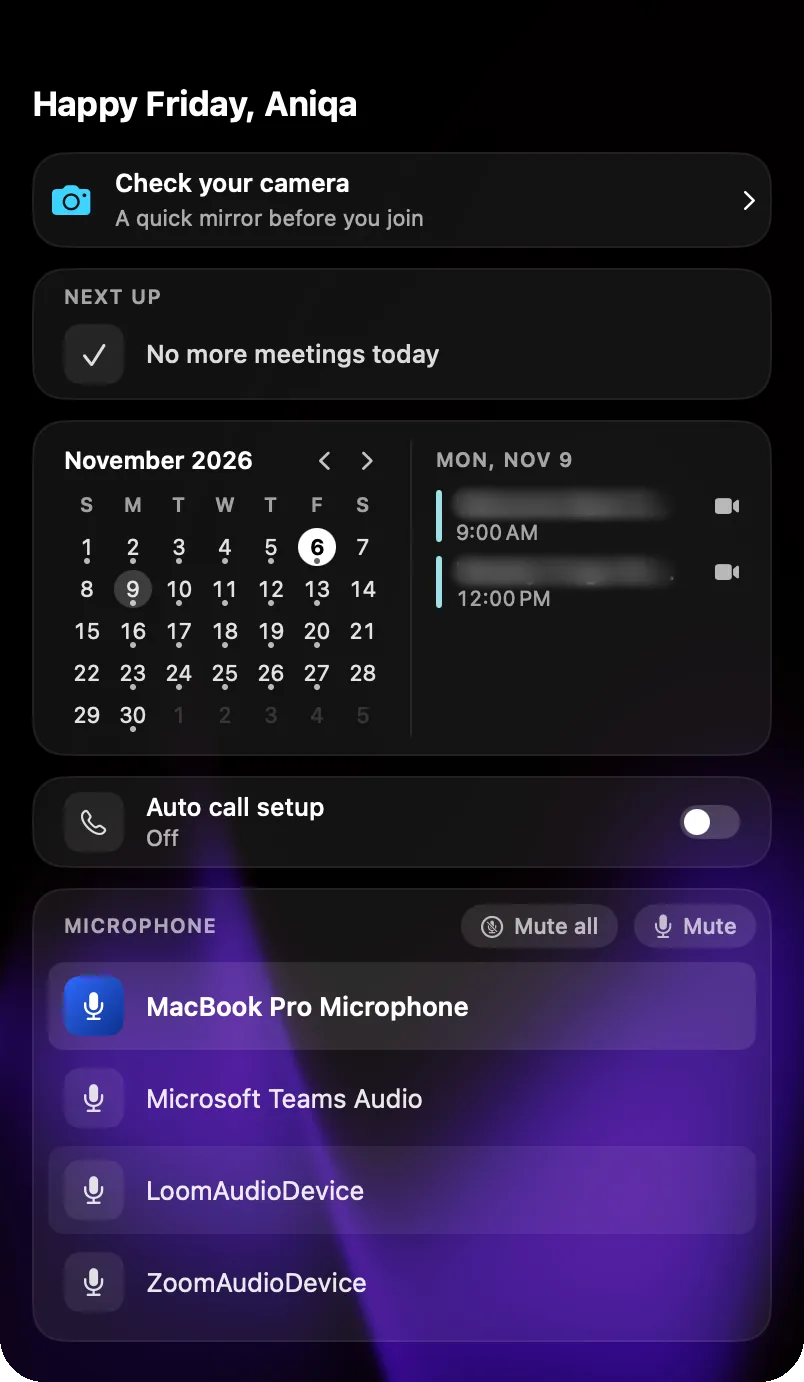 .
-
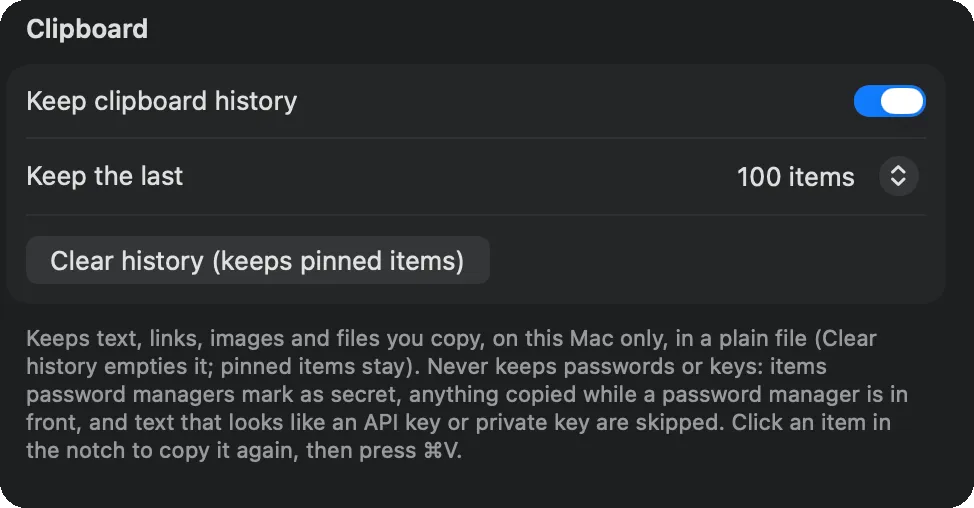
Clipboard history. I reluctantly used Raycast for this, but it’s built around keyboard shortcuts, and I’d end up in Spotlight anyway. Now my history is a hover away in the notch and much easier for me to get to
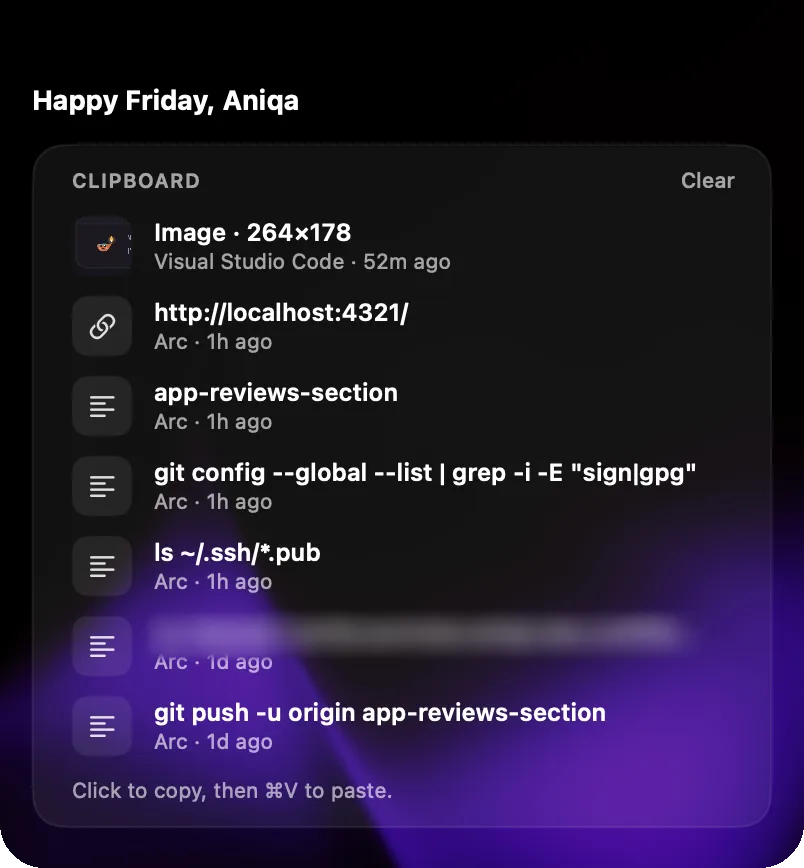
 .
-
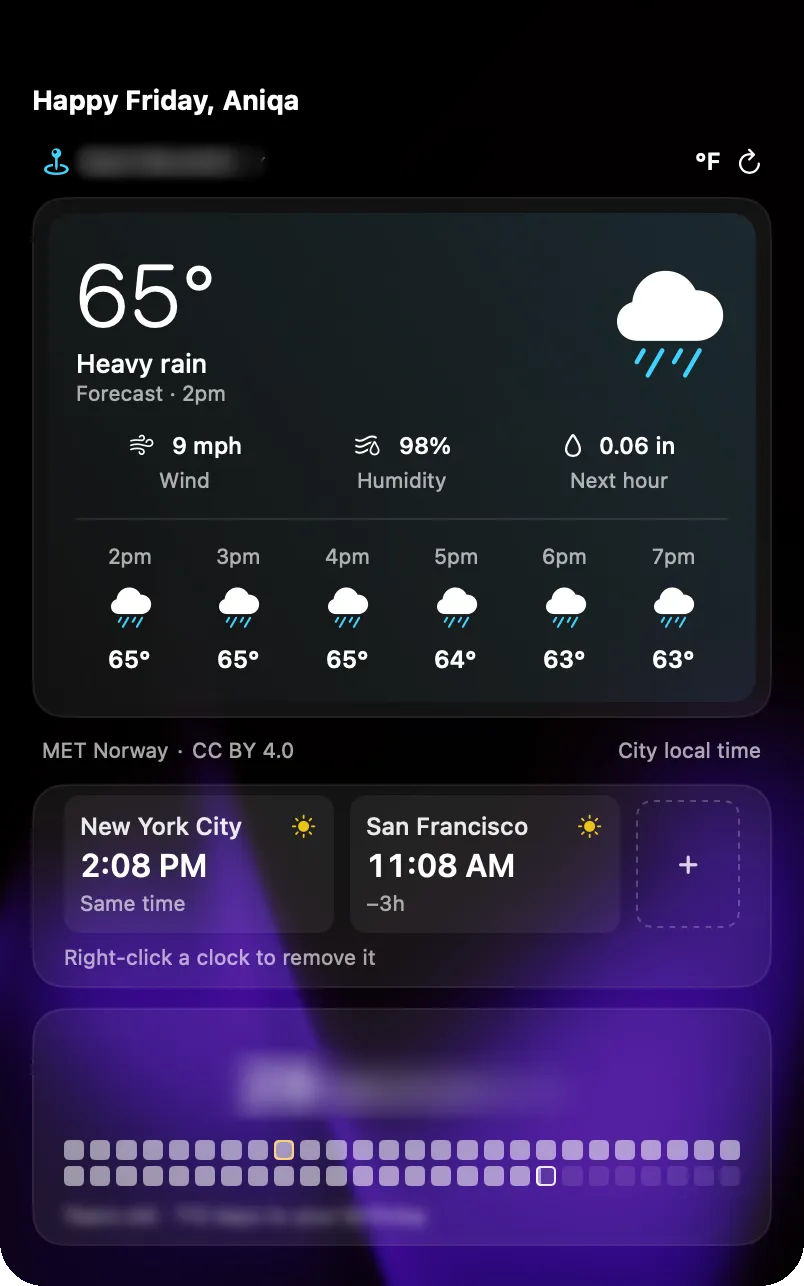
Little extras. The birthday countdown
 is awesome, and the camera preview
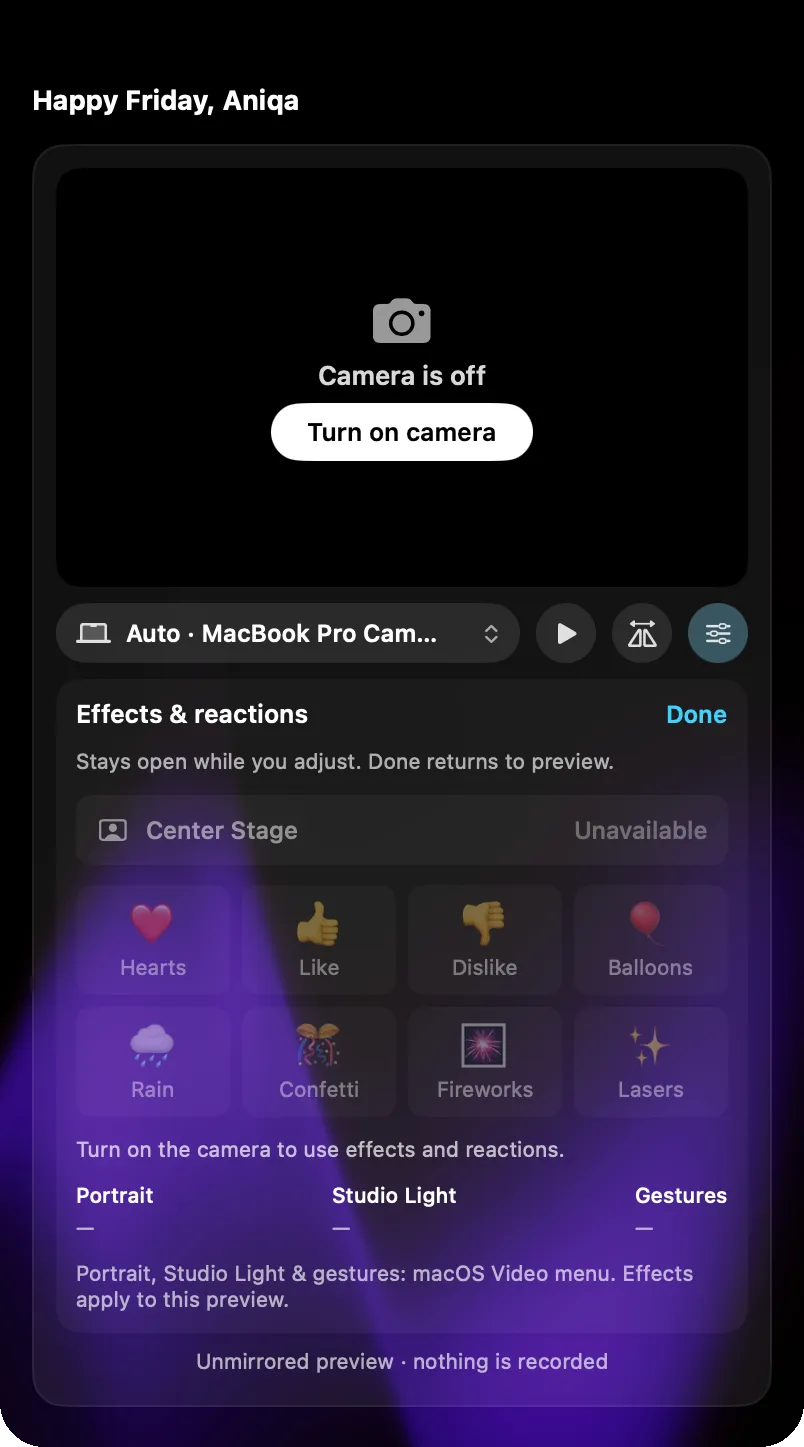 reminds me to switch to my webcam and check my lighting before a call.
-
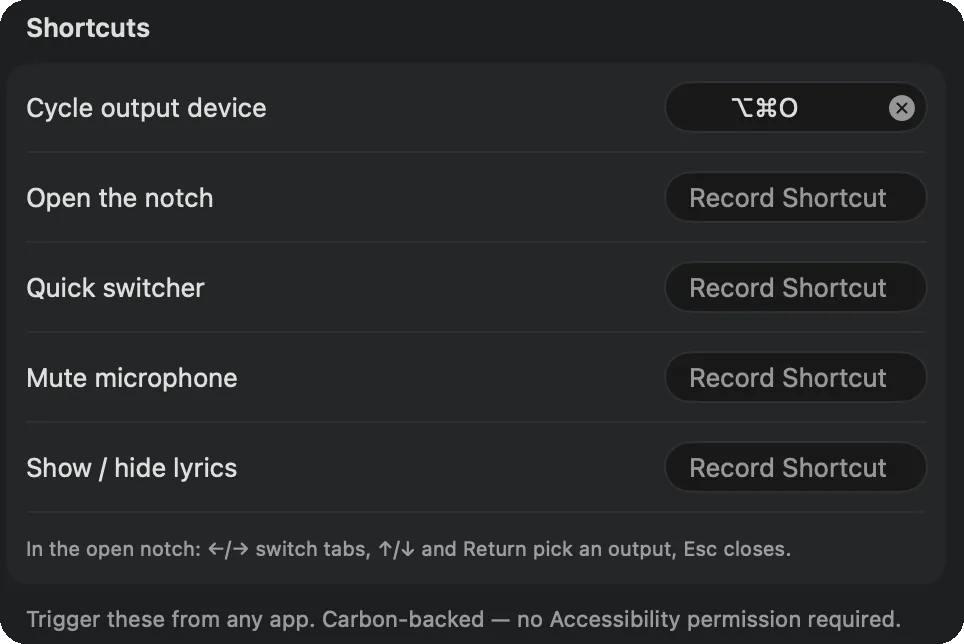
Make it yours. There are 21 tabs, and most of them I’d actually use, with a core few already in my day to day. It felt like a lot at first, but I turned off what I don’t need and customized the look
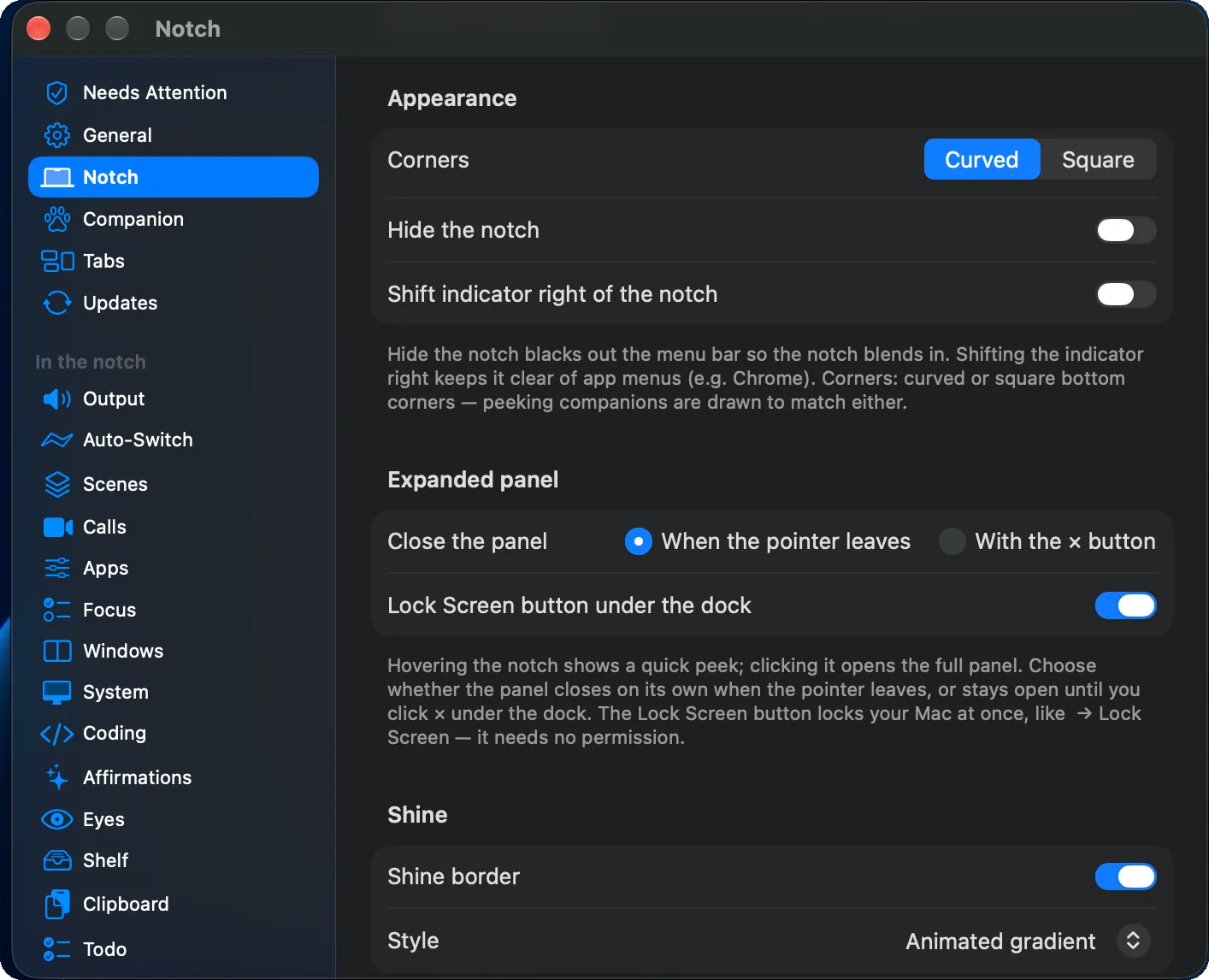 and pretty much everything else. I could add
shortcuts too (I won’t)
 .
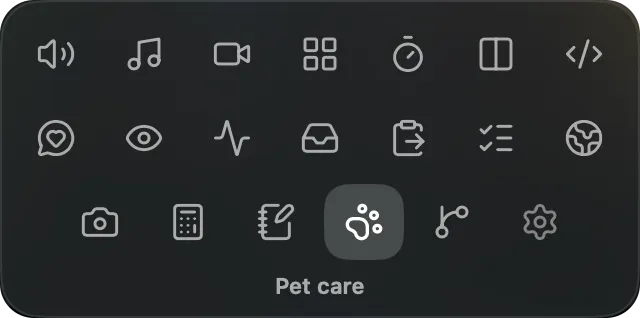 The tab grid, with Pet care open
What I didn’t use
- Window management.
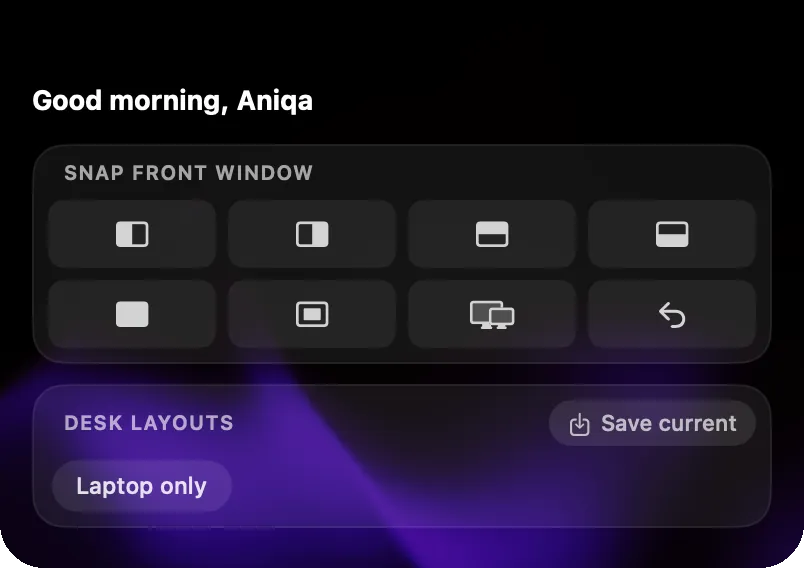 I don’t really manage windows anyway.
- Music. Controls and lyrics in the notch
 are super cool, but for my work laptop, a quick
play and pause is good enough.
- Todos.
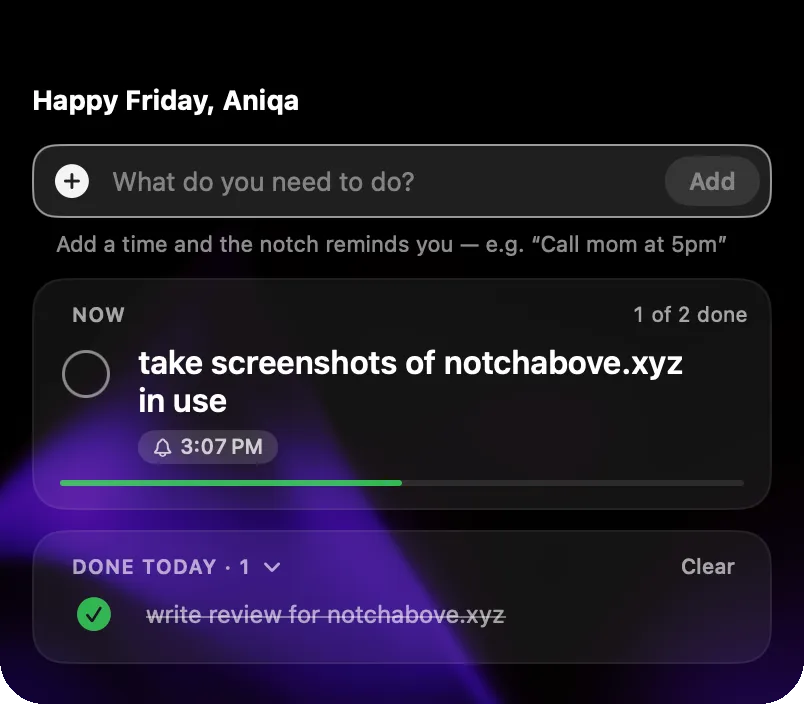 Glad it’s there, but work keeps me on Linear and my personal tasks live on my phone.
- Tools.
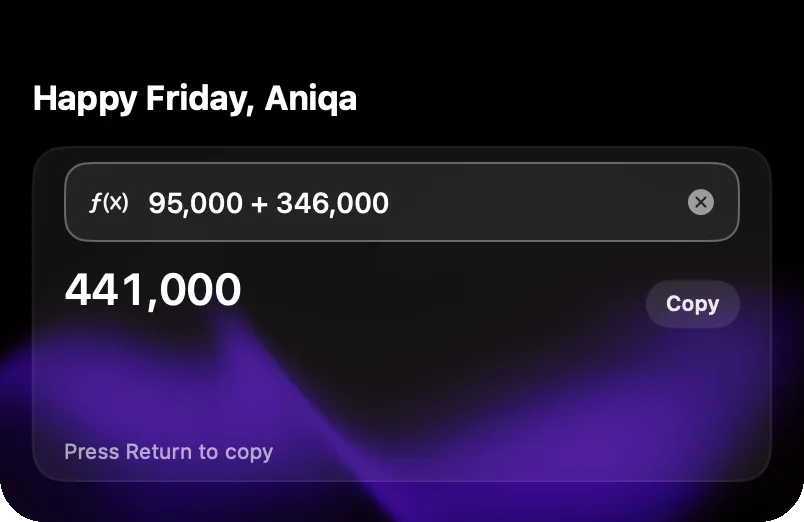 Handy for quick exchange rates (they’re up to 12 hours old). I like that
conversions get their own space, whereas Raycast folds them into its search.
- Sales.
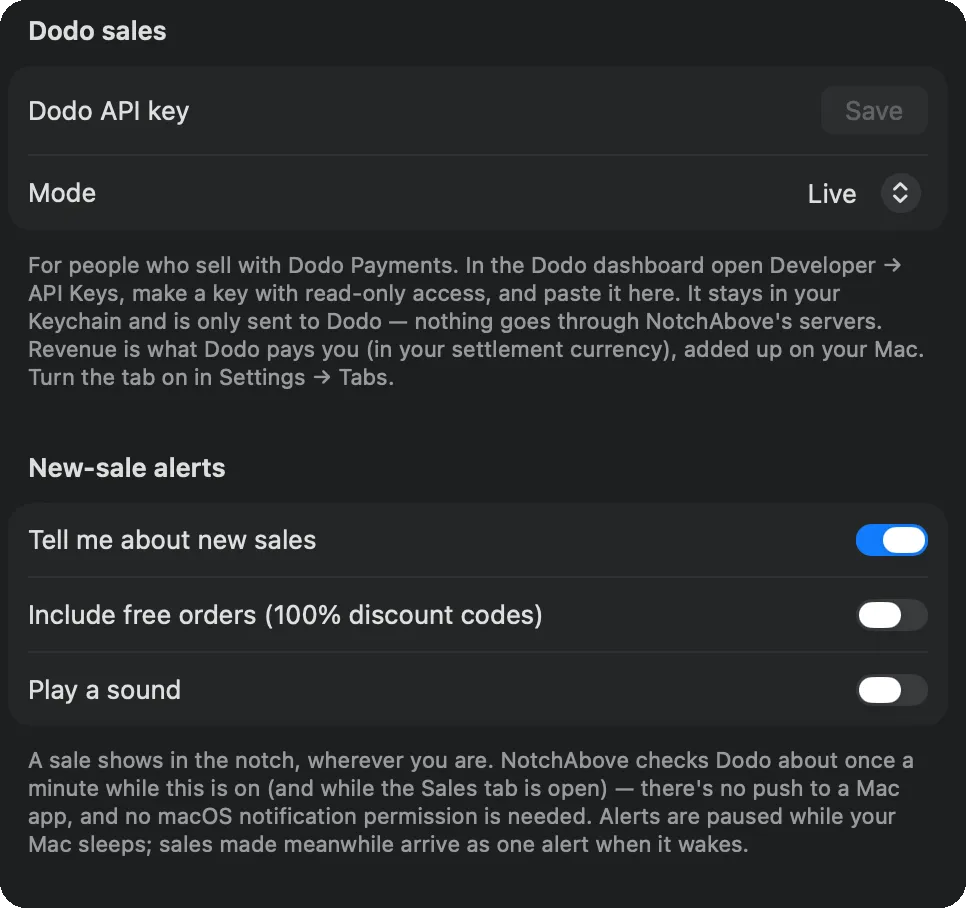 Not for me yet, but if I ever become an indie builder, a notification for every sale
must be a nice dopamine hit.
- Games.
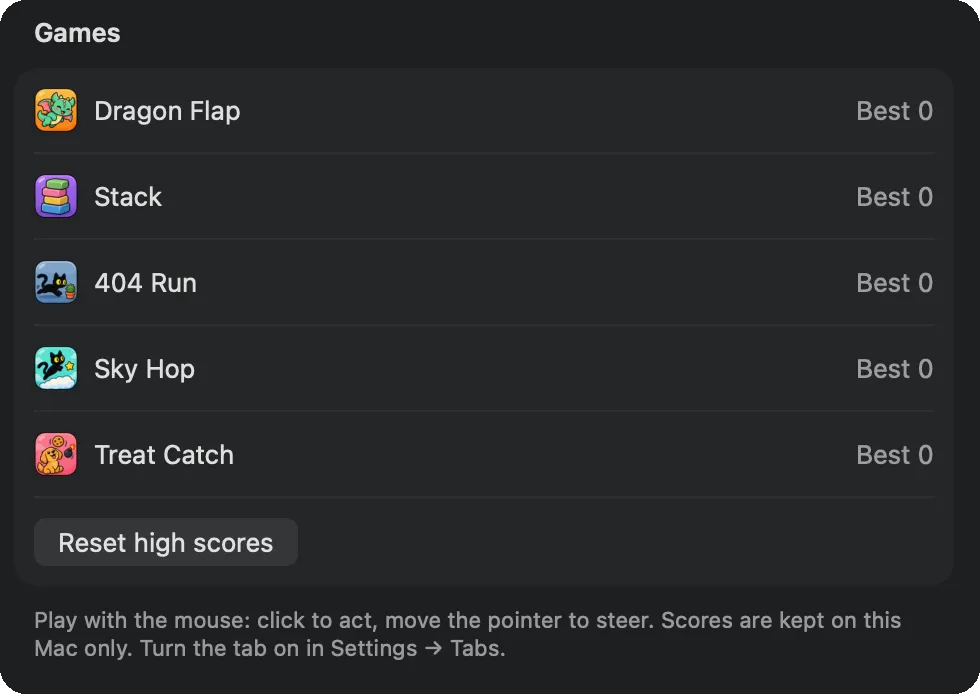 I’ve been busy with my pet, but as a gamer, I’ll reach for these once I’m bored
enough.
- Affirmations.
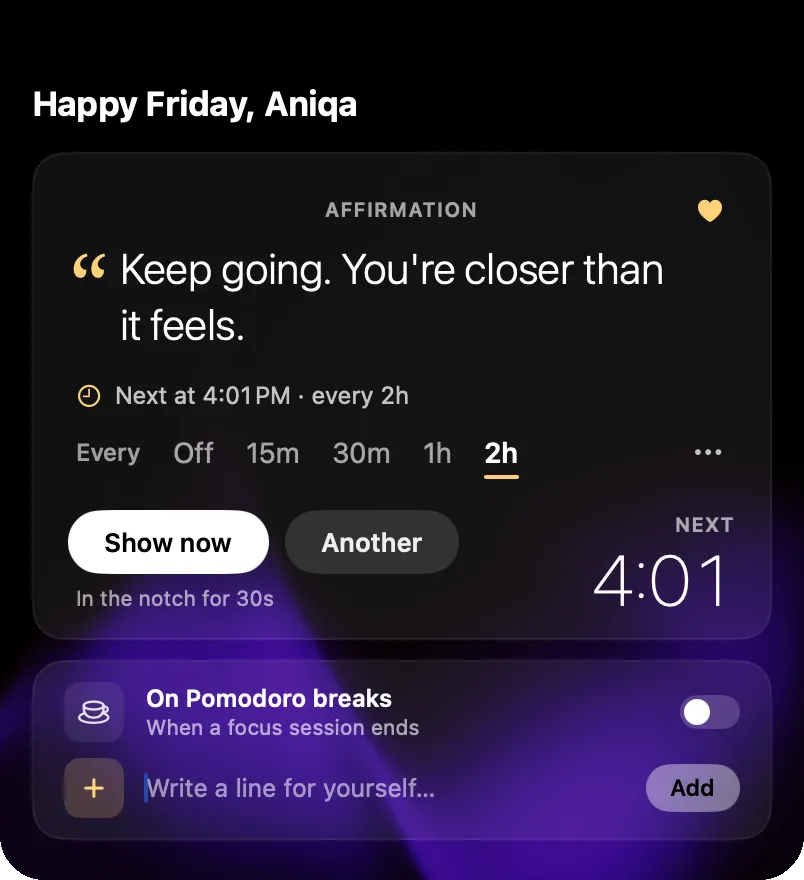 Nice for a little encouragement throughout the day, but personally, I’d
rather not add the noise.
Small ideas
- Show usage for more than one account. I’d love to see my AI agent usage across accounts, like my personal and work Claude accounts, side by side. Shipped in 1.3.7 ✓
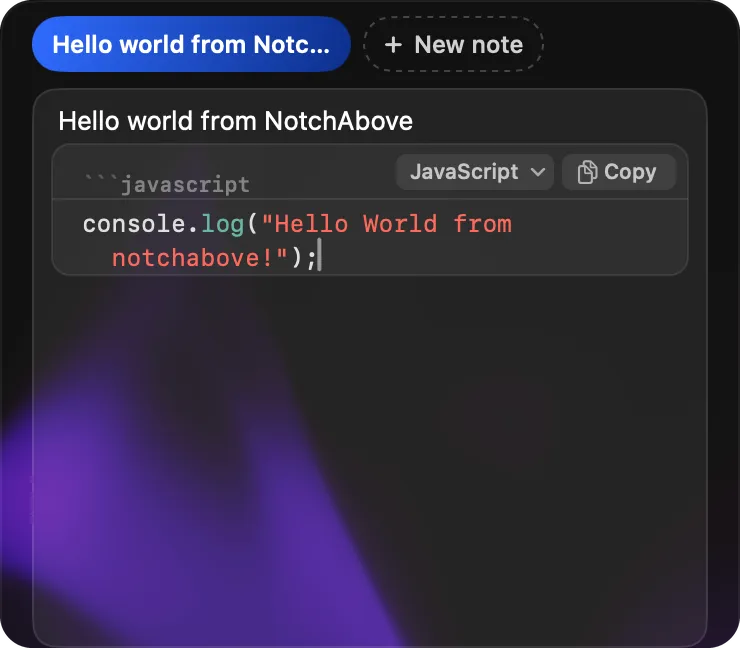
- Save notes as Markdown files. Right now they stay inside NotchAbove and save to a JSON file, so I don’t use them. I take notes in Obsidian, like so many people with Markdown editors. Having
these land as Markdown files in my own notes would be awesome, and they’d sync to my phone and iPad. Syntax
highlighting for code snippets would be nice too. Shipped in 1.3.7 ✓
- Give water its own tab. I don’t use Pomodoro, so I’d rather have water on its own, or in a Health tab that
combines it with the eye breaks. Shipped in 1.3.7 ✓
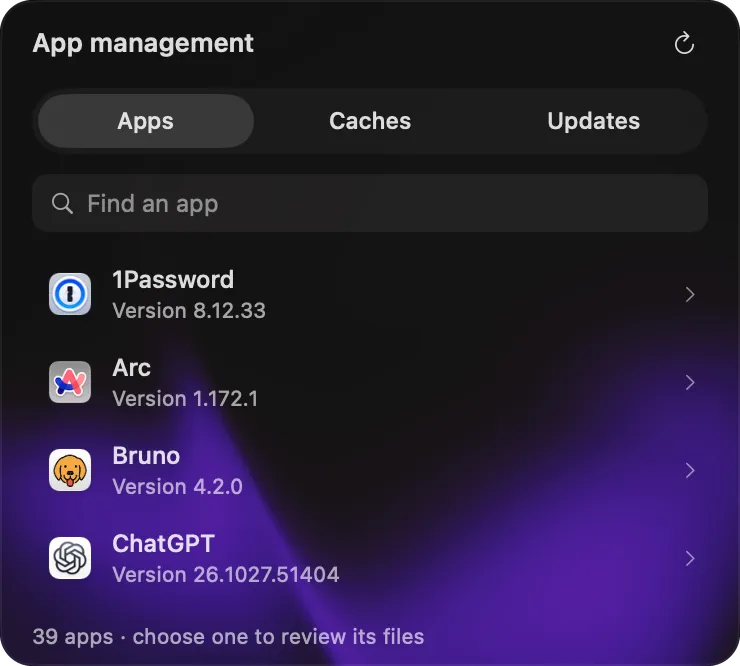
- Add app management. An uninstaller, a cache cleaner and app updates are what I’m missing since deleting Vorssaint,
but they weren’t worth keeping it around for. I’ll either find a standalone tool or it’d be cool to see them here,
but it’s not a must. Shipped in 1.3.7 ✓
Who it’s for
Anyone, technical or not, who has a notch going to waste, wants a native-feeling productivity hub with a myriad of useful tools, and loves a good mascot. I’m shocked one person made something this thoughtful. It’s my favorite all-in-one tool for 2026, and likely 2027.
Mailing list
I’ll send a short note when a new review goes up.